
Description
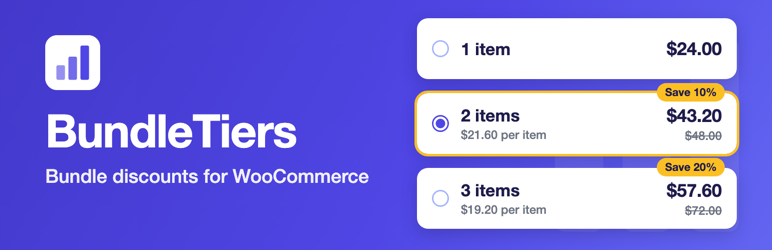
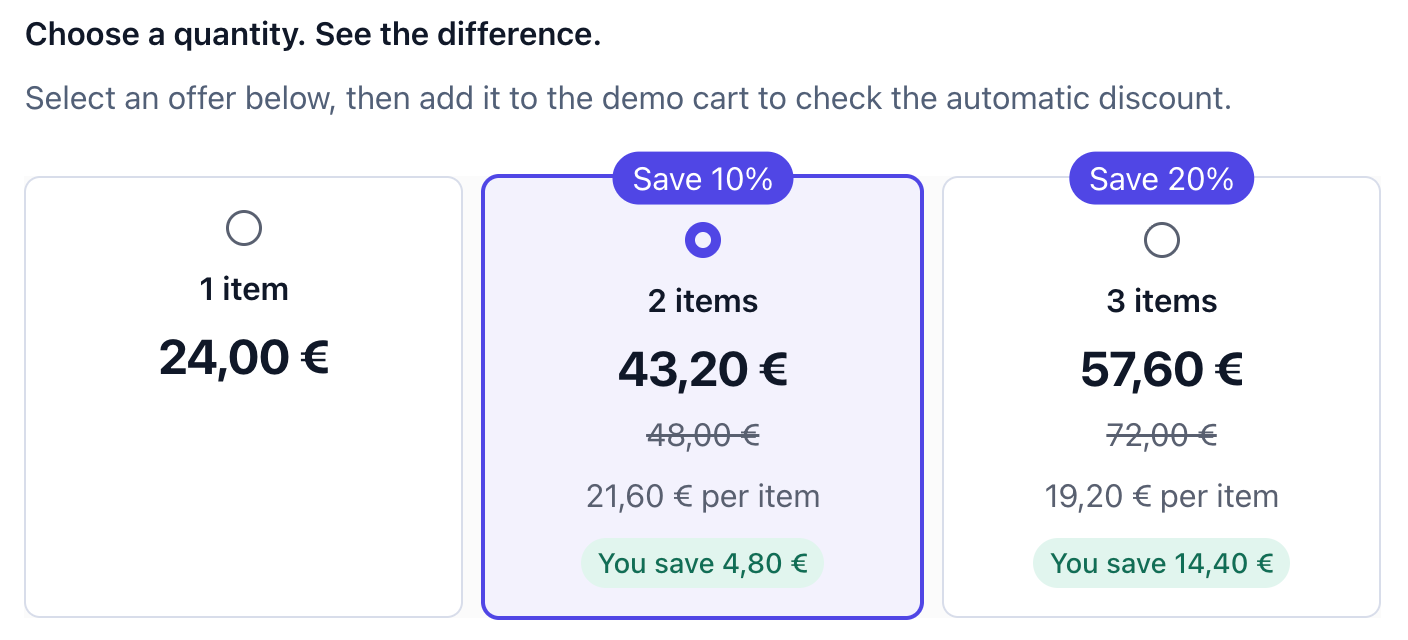
BundleTiers adds a simple bundle selector to your product page: 1 pc, 2 pcs, 3 pcs, each with its own price, saving and badge. The discount is calculated again in the cart and saved on the order, so what the customer sees is what they pay.
What it does
- Quantity tiers per product, or one set of global tiers for the whole shop.
- Three discount types: percent off, amount off each item, or a fixed price for the whole pack.
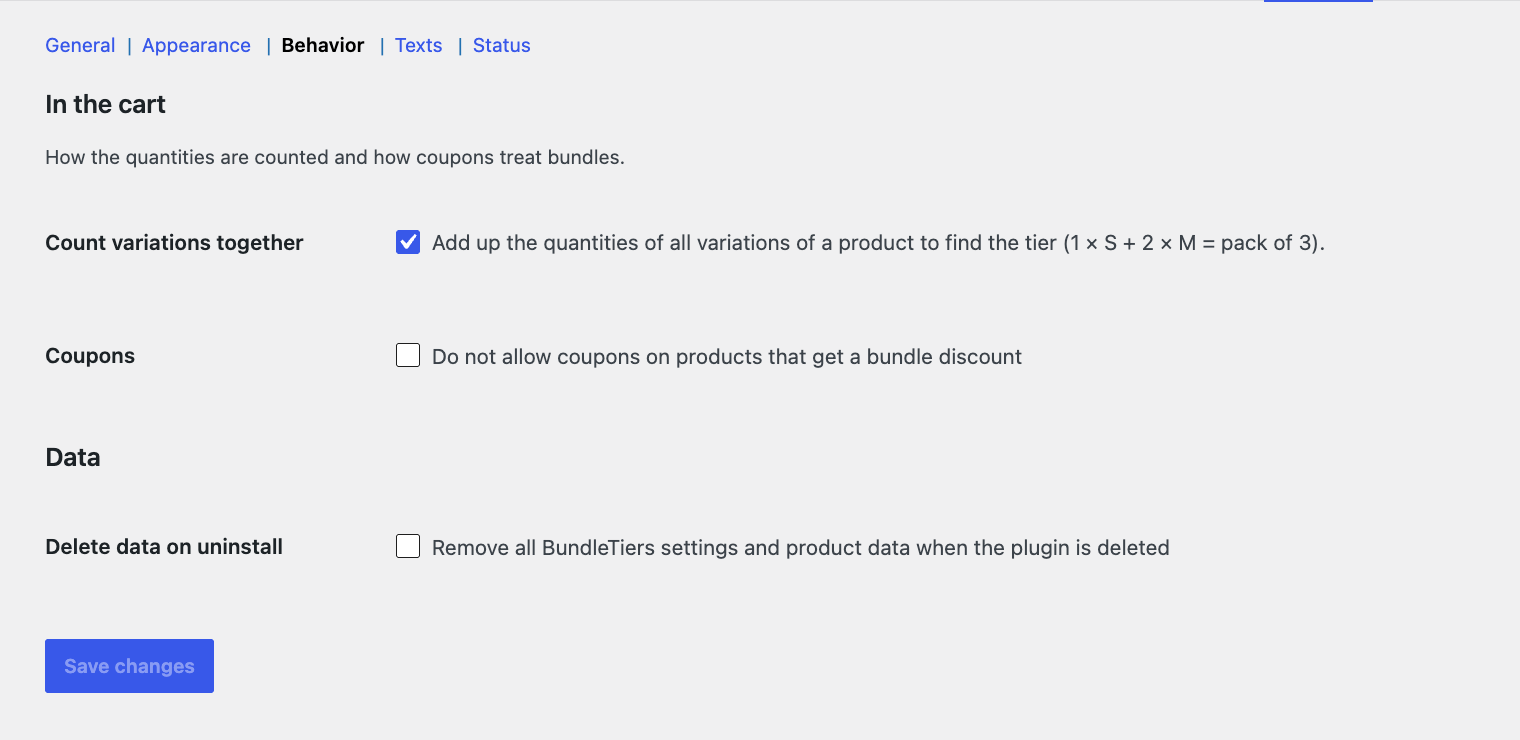
- Variations are counted together. One S and two M make a pack of three.
- The discount is taken from the current price, so sale prices and other price changes are respected.
- Prices are exact to the cent. The product page, cart, order and invoice always match.
- Only products you switch on are affected. Other products in the cart keep their price.
- Respects stock, sold-individually and minimum/maximum quantity rules.
- Shows the bundle in the cart, checkout, mini-cart, admin order and emails.
- Optional: keep coupons off bundle items.
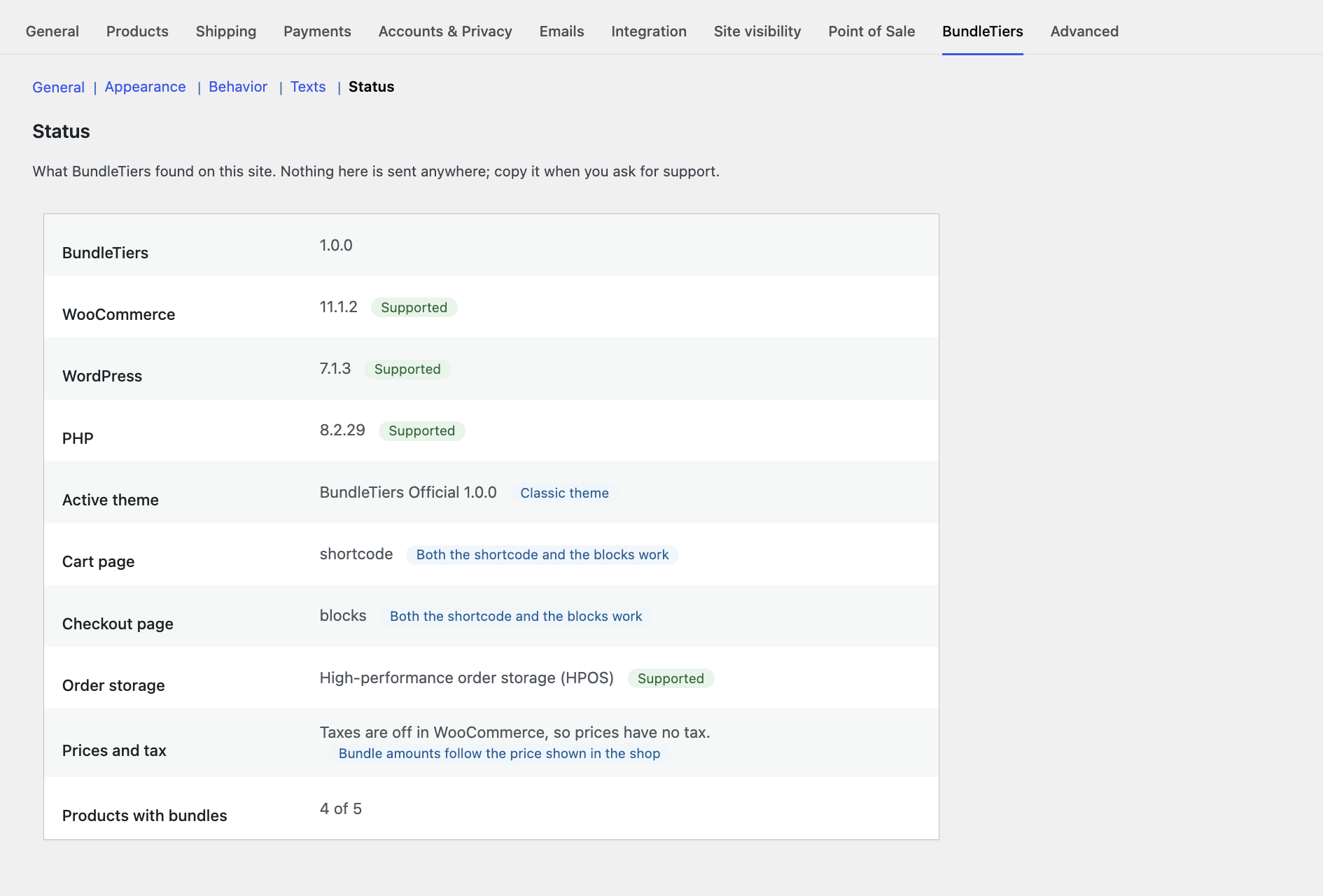
- Works with HPOS and the Cart and Checkout blocks.
- Override the selector markup in your theme:
yourtheme/bundletiers/selector.php.
Which products get bundles
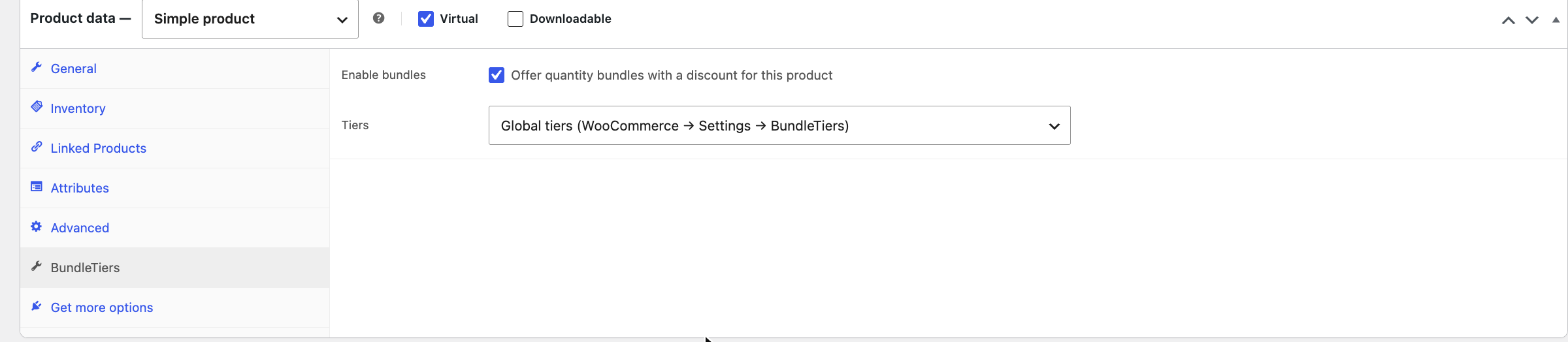
Bundles are off by default and are switched on per product (Product data BundleTiers Enable bundles). Simple and variable products are supported. Grouped products (a page that lists other products) and external/affiliate products have no BundleTiers tab: enable bundles on the individual products instead.
How the tier is chosen
The tier follows the total quantity in the cart, not a saved choice. Changing the quantity on the cart page updates the discount straight away.
Privacy
BundleTiers does not connect to any external service, does not track visitors and does not collect or send any data. Everything runs inside your own WordPress site.
Source code
Development happens on GitHub: https://github.com/webbeblabs/bundletiers
Screenshots

Installation
- Install and activate WooCommerce.
- Upload the plugin folder to
/wp-content/plugins/and activate BundleTiers. - Go to WooCommerce Settings BundleTiers and set your default tiers.
- Edit a product, open the BundleTiers tab under Product data and tick “Enable bundles”.
FAQ
-
How do I switch bundles on for a product?
-
Edit the product, open the BundleTiers tab under Product data, tick “Enable bundles” and click Update. Bundles are off by default, so no product changes until you do this.
-
Which product types are supported?
-
Simple and variable products (the product type is the dropdown next to Product data on the product edit screen). Grouped and external products have no BundleTiers tab: a grouped product only lists other products (enable bundles on those), and an external product sends the customer to another site and has no cart.
-
Does it work with variable products?
-
Yes. Prices on the cards follow the selected variation, and all variations of one product count towards the same pack.
-
Can I set different tiers for one product?
-
Yes. In the product’s BundleTiers tab choose “Custom tiers for this product”.
-
What happens if a tier is more than the stock?
-
That card is disabled on the product page, and WooCommerce’s own stock checks apply in the cart.
-
Are coupons allowed?
-
By default a coupon applies on top of the bundle price. You can turn coupons off for bundle items in the settings.
-
What happens to my data if I delete the plugin?
-
Nothing, unless you tick “Delete data on uninstall” in the settings. Bundle details already saved on past order lines are always kept.
Reviews
There are no reviews for this plugin.
Contributors & Developers
“BundleTiers – Bundle Discounts for WooCommerce” is open source software. The following people have contributed to this plugin.
Contributors

Translate “BundleTiers – Bundle Discounts for WooCommerce” into your language.
Interested in development?
Browse the code, check out the SVN repository, or subscribe to the development log by RSS.
Changelog
1.0.0
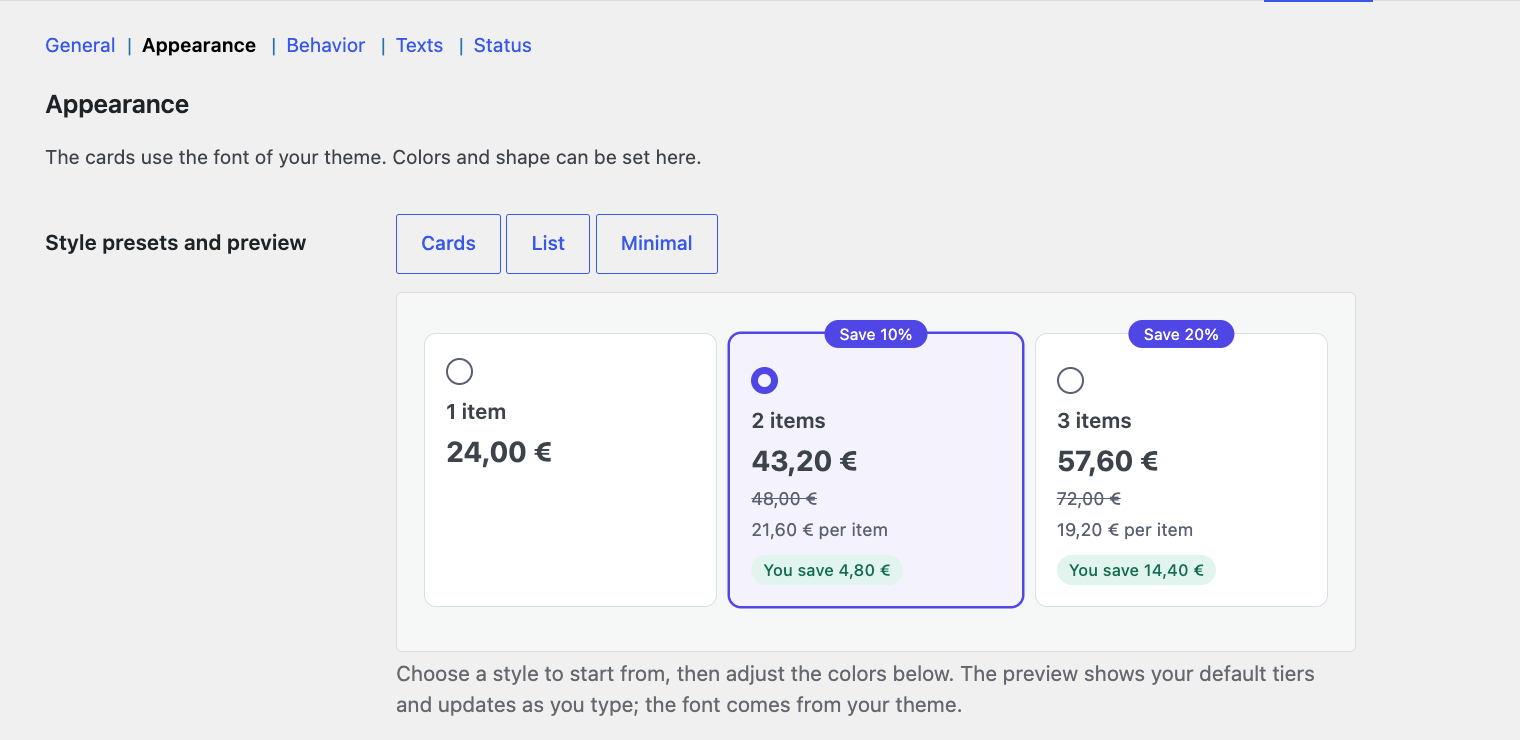
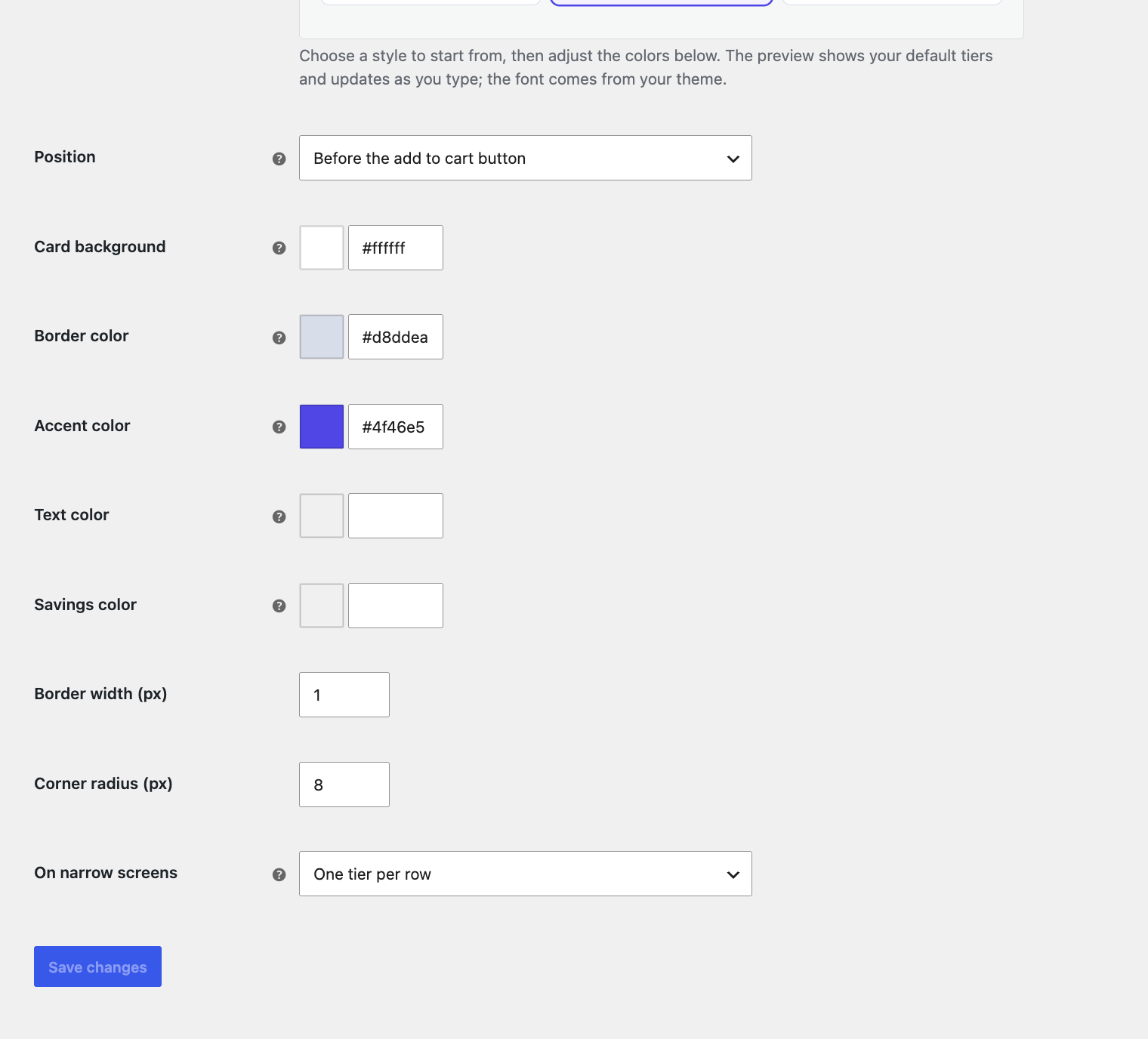
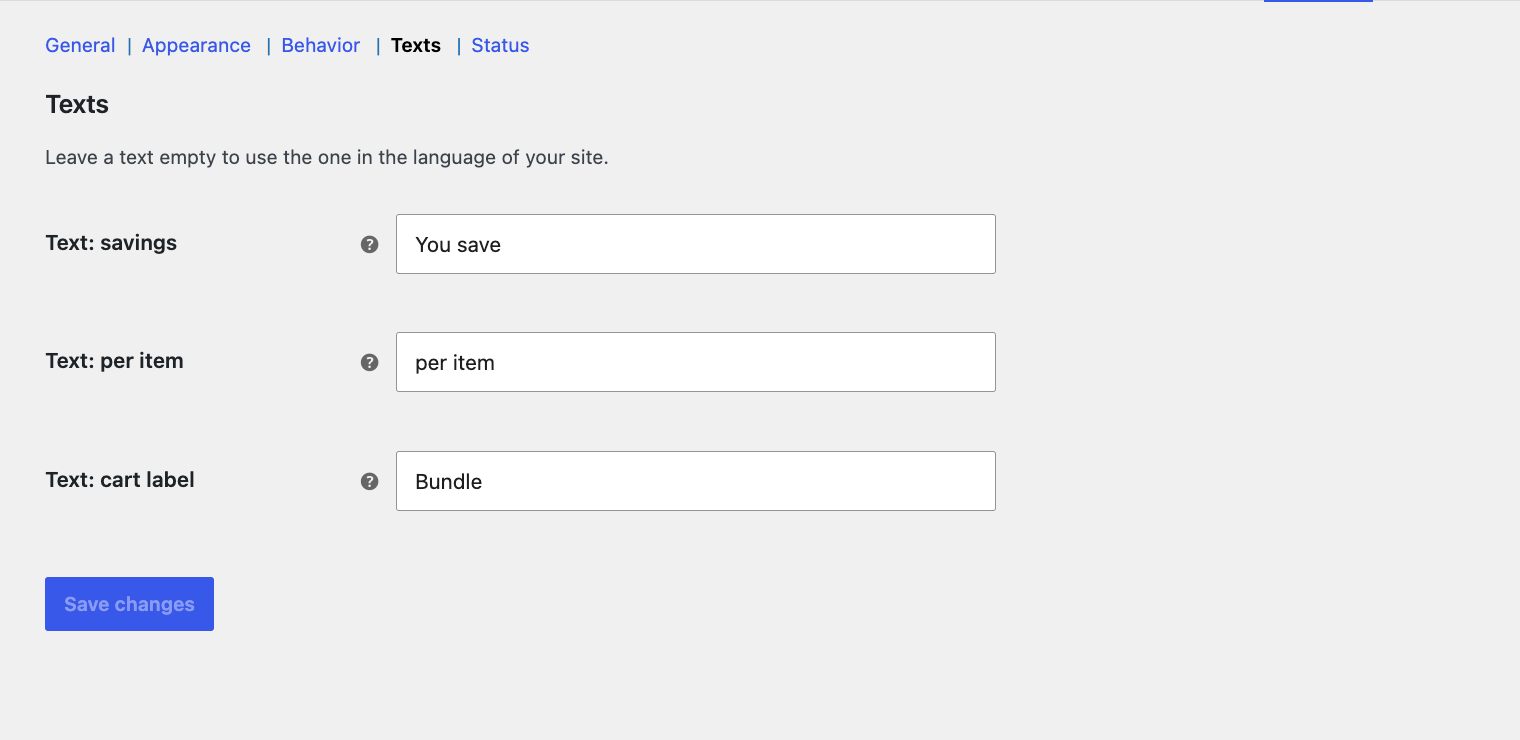
- First stable release. Settings in five sections (General, Appearance, Behavior, Texts, Status), style presets with a live preview, exact prices with and without tax, block and shortcode cart and checkout, accessibility improvements.
0.1.0
- First development version.