Title: WPGreeks Securities & SEO Tools
Author: WPGreeks Pro
Published: June 24, 2026
Last modified: October 11, 2026
---
Search plugins
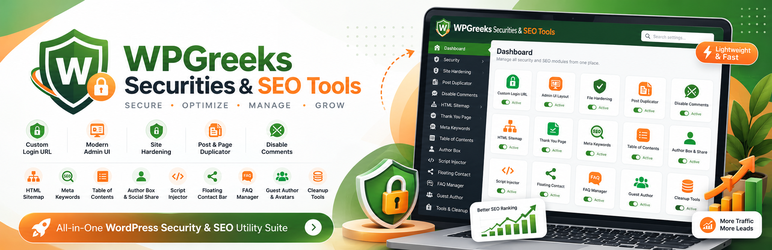

# WPGreeks Securities & SEO Tools
By [WPGreeks Pro](https://profiles.wordpress.org/wpgreekspro/)
[Download](https://downloads.wordpress.org/plugin/wpgreeks-securities.2.4.0.zip)
* [Details](https://srd.wordpress.org/plugins/wpgreeks-securities/#description)
* [Reviews](https://srd.wordpress.org/plugins/wpgreeks-securities/#reviews)
* [Installation](https://srd.wordpress.org/plugins/wpgreeks-securities/#installation)
* [Development](https://srd.wordpress.org/plugins/wpgreeks-securities/#developers)
[Support](https://wordpress.org/support/plugin/wpgreeks-securities/)
## Description
WPGreeks Securities & SEO Tools provides a lightweight admin companion framework
built strictly for site security, workflow productivity, SEO optimization, site-
wide comment management, floating lead triggers, script injection, and file environment
hardening. This utility suite uses native WordPress core loops, modern APIs, and
capability hooks to execute adjustments cleanly without adding database bloat or
unnecessary performance overhead.
Built in strict compliance with WordPress coding and security standards, every feature
runs independently on a decoupled architecture with granular Role-Based Access Control(
RBAC).
#### Manage Settings Workspace (Main Dashboard)
* **Module 1: WPGreeks Secure Login Slug** – Replace default `wp-login.php` and`
wp-admin` with custom entry slugs to block brute-force attacks and unauthorized
bot access.
* **Module 2: Modern Sidebar UI Layout** – Sleek, minimalist admin sidebar stylesheet
overlay with customized spacing and global brand accents.
* **Module 3: File & Environment Hardening Guard** – Restrict dashboard-level theme/
plugin installations, updates, and direct code editing using native capability
filters.
* **Module 4: Page & Post Duplicator Engine** – Streamline content workflows with
1-click duplicate action links across posts and pages, replicating content, taxonomies,
and custom meta fields into draft status.
* **Module 5: Disable Site-wide Comments** – Provides complete site-wide comment
management, allowing you to disable comments on all post types, remove comment
forms, block comment submissions, and clean up the admin interface.
#### SEO Engine: SEO Activities Workspace
* **SEO Module 1: HTML Sitemap Generator** – Automatically generate an indexable
structural road map of pages, posts, CPTs, and taxonomies via shortcode deployment.
* **SEO Module 2: Automated Lead Thank You Page** – Deploy dedicated conversion
landing pages with full WYSIWYG text controls and direct Contact Form 7 redirection
integration.
* **SEO Module 3: Multi-Keyword SEO Override Engine** – Clean, localized input
controls to seamlessly inject targeted meta keyword tags directly into page headers.
* **SEO Module 4: Table of Contents Generator** – Parse page/post headings (H2–
H6) dynamically to construct structured, smooth-scrolling Table of Contents boxes
for improved UX and SEO readability.
* **SEO Module 5: Author Box & Social Share Engine** – Display customizable author
bio profiles and responsive native social sharing triggers across post types
to boost E-E-A-T signals and content virality.
* **SEO Module 6: Header, Body & Footer Script Injector** – Inject site-wide or
per-content custom scripts, Google Analytics/GTM codes, Meta Pixels, and custom
CSS/JS safely into ``, opening ``, and `` with integrated
CodeMirror syntax highlighting.
* **SEO Module 7: Floating Social & Contact Bar** – Display a responsive floating
contact bar with quick-action triggers, phone/email links, and social profile
shortcuts across frontend views.
* **SEO Module 8: FAQ Manager & Schema** – Add Question/Answer pairs to posts,
pages, or any custom post type, displayed automatically at the end of content(
or via shortcode placement anywhere), with optional FAQPage JSON-LD schema markup
for search engines.
* **SEO Module 9: Custom User Avatar & Guest Author** – Assign a guest author (
name, bio, image, URL, Gravatar email) to any post without creating a real user
account, with reusable entries stored in a dedicated database table. Also lets
registered users upload a custom profile avatar that overrides Gravatar.
#### Tools & Database Operations
* **Uninstall Code Cleanup Tools** – Selectively purge specific module configurations
or execute a global bulk wipe of all options and post meta upon plugin deletion
with built-in modal confirmation safety safeguards.
#### Platform Features
* **Role-Based Access Control (RBAC)** – Granular capability management (`wpgreeks_manage_security`,`
wpgreeks_manage_duplicate`, etc.) ensuring sub-admins and custom roles only access
authorized feature tabs.
* **Asset Cache Busting** – Dynamic versioning via `filemtime()` ensures browser
caches clear automatically on code updates.
* **Interactive UI Enhancements** – 1-click clipboard helpers for all shortcode
badges with animated “Copied!” tooltips.
* **Strict Security Standards** – Cryptographic nonce validation, data sanitization
callbacks, and isolated option storage scopes across all settings modules.
### Available Shortcodes
* `[wpgreeks_html_sitemap]` – Renders a responsive multi-column HTML sitemap directory.
* `[wpgreeks_thankyou_page]` – Renders the configured conversion thank-you page
content.
* `[wpgreeks_toc]` – Renders a dynamic, structured Table of Contents for headings(
H2–H6) within your page or post.
* `[wpgreeks_faqs]` – Renders the FAQ list for the current post at the shortcode’s
location, instead of the automatic end-of-content placement.
* `[wpgreeks_guest_author]` – Displays the current post’s guest author details (
name, bio, image, URL) anywhere in the content.
## Screenshots
[⌊Manage Settings Workspace dashboard with security feature toggles.⌉⌊Manage Settings
Workspace dashboard with security feature toggles.⌉[
Manage Settings Workspace dashboard with security feature toggles.
[⌊Secure Login URL configuration panel.⌉⌊Secure Login URL configuration panel.⌉[
Secure Login URL configuration panel.
[⌊SEO Activities Workspace dashboard.⌉⌊SEO Activities Workspace dashboard.⌉[
SEO Activities Workspace dashboard.
[⌊Header, Body & Footer Script Injector with CodeMirror.⌉⌊Header, Body & Footer
Script Injector with CodeMirror.⌉[
Header, Body & Footer Script Injector with CodeMirror.
[⌊Floating Social & Contact Bar management workspace.⌉⌊Floating Social & Contact
Bar management workspace.⌉[
Floating Social & Contact Bar management workspace.
[⌊FAQ Manager & Schema setup page with post type selection and schema toggle.⌉⌊FAQ
Manager & Schema setup page with post type selection and schema toggle.⌉[
FAQ Manager & Schema setup page with post type selection and schema toggle.
[⌊Custom User Avatar & Guest Author setup page with the guest author management
list.⌉⌊Custom User Avatar & Guest Author setup page with the guest author management
list.⌉[
Custom User Avatar & Guest Author setup page with the guest author management list.
## Installation
1. Upload the `wpgreeks-securities` directory to the `/wp-content/plugins/` directory.
2. Activate the plugin through the **Plugins** screen in WordPress.
3. Access **WPGreeks Securities** or **WPGreeks SEO** from the WordPress admin menu
dashboard.
4. Enable your desired security, layout, SEO, or contact modules from the central
settings workspaces.
## FAQ
### Does this plugin modify WordPress core files?
No. WPGreeks Securities & SEO Tools never modifies WordPress core files. All functionality
is implemented using official WordPress hooks and APIs.
### What happens if I forget my custom login URL?
You can temporarily deactivate or rename the plugin directory via FTP or your hosting
file manager. WordPress will automatically restore the default login URL.
### Does the plugin affect website performance?
No. The plugin is designed to be lightweight and loads assets only when required.
### How does SEO Module 7 (Floating Social & Contact Bar) work?
When SEO Module 7 is enabled, a fixed quick-access floating bar is rendered on frontend
pages allowing visitors to instantly initiate phone calls, send emails, or navigate
to your brand’s social media channels.
### How does SEO Module 8 (FAQ Manager & Schema) work?
Once enabled, a FAQ meta box appears on the edit screen of every post type you select(
including custom post types), where you can add Question/Answer pairs using a full
rich-text editor. FAQs display automatically at the end of the content by default.
### How do I place FAQs somewhere other than the end of the content?
Add the `[wpgreeks_faqs]` shortcode anywhere in the post content while editing that
post. When the shortcode is present, the automatic end-of-content placement is skipped
for that post — only the shortcode’s placement is used.
### Does SEO Module 8 generate FAQ schema markup automatically?
Only when you enable “Enable FAQ Schema” on the FAQ Setup page. When on, a FAQPage
JSON-LD structured-data block is added to the page head for any content that has
FAQs, matching whichever FAQs are actually displayed — whether shown automatically
or via the shortcode.
### How does SEO Module 9 (Custom User Avatar & Guest Author) work?
Enable it, choose which post types should get the Guest Author meta box, then assign
a guest author from a post’s edit screen — pick an existing one from the dropdown,
or add a new one with a name, bio, image, URL, and Gravatar email. Guest authors
are stored in their own database table and can be reused across any number of posts
without creating a WordPress user account.
### Does assigning a guest author create duplicate entries if I use the same name twice?
No. Adding a new guest author with a name that already exists reuses the existing
entry instead of creating a duplicate — the same logic applies whether you add it
from a post’s edit screen or from the central Guest Author Setup page.
### Where do guest author details actually show up?
Wherever the Author Box module already appears, and via the `[wpgreeks_guest_author]`
shortcode placed anywhere in the content. The theme’s default byline (`the_author()`
and linked author variants) is also overridden automatically when a guest author
is assigned.
### What is the Custom Avatar feature?
A separate, related feature in the same module: any registered user (or an admin
editing their profile) can upload a custom profile picture from the Edit Profile
screen, which overrides the default Gravatar/site avatar everywhere avatars are
shown. If no custom avatar is set, the normal Gravatar/default avatar chain is used.
### I enabled Secure Login Custom Slug and now both the custom URL and wp-login.php show a 404. What do I do?
This usually happens right after moving a site from localhost to a live server,
before permalinks/.htaccess are regenerated — the custom URL is a “pretty” URL that
needs working server rewrite rules, while the real wp-login.php is deliberately
masked. Two recovery options exist, in order of preference: (1) open `https://yoursite.
com/?wpgreeks_login=your-slug`, which works without any rewrite rules; (2) add `
define( 'WPGREEKS_DISABLE_LOGIN_MASK', true );` to wp-config.php via FTP/file manager
to turn the login mask off without deactivating the plugin. Remove the line once
you have re-saved Settings > Permalinks.
### What does the sidebar on the plugin’s admin pages show?
Every WPGreeks admin page now has a sidebar with the developer card, a Security
Health Check (login URL masked, file editing hardened, HTTPS, debug mode off — only
checks the plugin can genuinely verify), live Module Status counts, Quick Access
links, and the installed plugin version.
### Why does a bar appear at the bottom of the module dashboard when I flip a toggle?
Modules are saved with the normal Save Changes button, because switching a module
on or off also adds or removes admin menus. As soon as a toggle differs from its
saved state, a sticky bar shows how many changes are unsaved, and the browser warns
you before you leave the page without saving.
### How do the Uninstall Code Cleanup Tools work?
Located inside the Tools tab, the Uninstall Cleanup engine lets you select specifically
which module data to delete upon plugin uninstallation. If you prefer a complete
reset, checking Global Bulk Delete wipes all plugin options and meta keys from the
database when the plugin is deleted.
### How does SEO Module 5 (Author Box & Social Share) work?
When SEO Module 5 is enabled, author bio cards featuring user avatars, descriptions,
and social links along with sharing buttons (Facebook, X, LinkedIn, WhatsApp, etc.)
are automatically appended to single content views.
### How does SEO Module 6 (Script Injector) handle global vs per-post scripts?
Site-wide scripts configured in the SEO Module 6 workspace execute across every
public page on your website. Post-specific scripts added via the post editor meta
boxes execute exclusively on that specific post or page context via `get_queried_object_id()`.
### Does SEO Module 6 support syntax validation?
Yes. SEO Module 6 uses WordPress native CodeMirror engine integration to validate
HTML, JavaScript, and CSS code blocks live as you type.
### Does the Environment Hardening Guard affect manual developer file updates?
Not at all. The lockdown mechanics purely restrict dashboard-level execution capabilities,
such as code additions or web-installer screens. You can still modify files safely
over secure SFTP/FTP.
### How does the automated HTML Sitemap page provisioning work?
When you toggle SEO Module 1 to **ON** inside the central WPGreeks Securities settings
console, a physical page titled `"HTML Sitemap"` containing the shortcode is generated
instantly. If you turn the master switch **OFF**, the system automatically cleans
up and deletes that page context completely.
### Can I select specifically what content gets exposed on the sitemap layout?
Yes. Once SEO Module 1 is activated, a separate configuration screen becomes available
where you can use clean binary toggles to instantly include or exclude Pages, Posts,
Custom Post Types, and Taxonomies.
### How does the Automated Lead Thank You Page (SEO Module 2) page creation work?
Turning SEO Module 2 **ON** automatically deploys a published page titled `"Thank
You"` populated with the template shortcode. Turning it **OFF** removes and deletes
this page completely from your database trash to keep your page directory clean.
### How does the Table of Contents Generator (SEO Module 4) work?
When SEO Module 4 is enabled, inserting the `[wpgreeks_toc]` shortcode automatically
scans the post or page content for heading tags (`` to ``), generates anchor
links, and renders a clean, accessible navigation block with smooth scrolling.
### How does SEO Module 3 manage SEO Meta Keywords?
SEO Module 3 adds localized input fields within your workspace to safely inject
custom ``).
* Dynamic Cache Busting: Implemented `filemtime()` asset versioning across all
frontend and backend CSS/JS files to prevent browser caching issues on updates.
* Code Editor Engine: Integrated WordPress native CodeMirror syntax highlighting
with fallbacks across settings pages and edit post screens.
* Context Handling: Refactored targeted post script injection logic to use `get_queried_object_id()`
for reliable execution on custom templates and single pages.
* Admin UX: Enhanced meta box positioning priority for seamless post edit interface
organization.
#### 1.9.0
* Feature Expansion: Integrated **Module 5: Disable Comments Engine** for global
site-wide comment closure across posts, pages, attachments, and custom post types.
* Frontend UI: Implemented automatic suppression of comment submission forms and
existing comment list renderings on single content views.
* Request Security: Added direct interception and blocking routines for incoming
POST submissions targeting `wp-comments-post.php`.
* Interface Hygiene: Removed legacy “Comments” shortcuts from both the WP Admin
Bar and the main backend sidebar navigation menu.
* Developer Feedback: Resolved UI code editor alignment and layout issues as recommended
by frontend developer Deepak Singh.
* Access Control: Restated strict Role-Based Access Control (`manage_options`)
checks across all newly introduced comment management toggles.
#### 1.8.0
* Feature Expansion: Integrated **Module 4: Page & Post Duplicator Engine** for
1-click item cloning across posts and pages.
* Security & Access Control: Refactored navigation menus to enforce strict Role-
Based Access Control (RBAC) capabilities (`wpgreeks_manage_security`, `wpgreeks_manage_duplicate`).
* Plugin Integration: Standardized `WPGREEKS_PLUGIN_BASENAME` constants across
Plugin Action Links and Screen Options listeners.
* Settings API Hardening: Enforced strict `admin_init` option group registrations
across all workspace tabs for stable settings persistence.
* Codebase Stability: Hardened single-file architecture to ensure full backwards
compatibility and eliminate execution errors.
#### 1.7.0
* Feature Expansion: Integrated **SEO Module 4: Table of Contents Generator** for
dynamic heading navigation.
* Feature Expansion: Integrated **SEO Module 3: Multi-Keyword SEO Override Engine**
for localized meta tag injection.
* UI Enhancement: Added 1-click clipboard helpers and “Copied!” tooltips across
all shortcode badges.
* Stability: Added runtime validation and fallback execution wrappers to prevent
structural error alerts during plugin activation and page rendering.
#### 1.6.1
* Bug Fix: Resolved critical PHP parse/syntax errors in admin menu compilation
logic.
* Stability: Added runtime validation and fallback execution wrappers to prevent
structural error alerts during plugin activation and page rendering.
* UI Polish: Fixed default text values for the Thank You Page shortcode to ensure
consistent display.
#### 1.6.0
* Feature Expansion: Integrated **SEO Module 2: Automated Lead Thank You Page**.
* Workspace Optimization: Shifted Thank You options into a dedicated, clean sub-
menu setup page (`Thank You Setup`) to keep the primary dashboard scannable.
* Compatibility Safeguard: Implemented a dynamic fallback listener that hides,
unchecks, and locks the CF7 redirect option if the Contact Form 7 plugin is deactivated.
* Bug Fix: Resolved the 404 Page Not Found error encountered by logged-in users
during the logout routing process inside Module 1.
* Access Control: Integrated Yoast SEO capability parameters to safely grant exclusive
access of the SEO Workspace dashboard to the SEO Manager role.
#### 1.5.0
* Feature Expansion: Integrated **SEO Module 1: HTML Sitemap Generator**.
* Feature Expansion: Introduced dynamic automatic publishing/destruction for shortcode
roadmap pages.
* Architecture Patch: Separated individual settings fields into isolated data storage
scopes to eliminate setting overwrite collisions.
#### 1.4.0
* Added **Module 3: File & Environment Hardening Guard** to protect core files
by disabling backend plugin/theme installations, uploads, updates, and direct
template editor screens.
#### 1.3.0
* Dedicated “Updates” log tab layout page inside the core dashboard manager view.
* Extracted all structural styling from PHP views into an optimized external asset
sheet (`admin-style.css`).
#### 1.2.0
* Added “Enable Modern Design UI” management switch (**Module 2**) to toggle sleek
visual styling modifications across the global WordPress administrative sidebar
area.
#### 1.1.0
* Resolved the critical PHP layout variables conflict (`$user_login` and `$error`
being undefined) during standard theme session terminations.
#### 1.0.0
* Initial release: Modular Component Framework featuring **Module 1: WPGreeks Secure
Login Slug** and central settings dashboard.
## Meta
* Version **2.4.0**
* Last updated **4 weeks ago**
* Active installations **10+**
* WordPress version ** 6.0 or higher **
* Tested up to **7.1.4**
* PHP version ** 8.0 or higher **
* Language
* [English (US)](https://wordpress.org/plugins/wpgreeks-securities/)
* Tags
* [author box](https://srd.wordpress.org/plugins/tags/author-box/)[post duplicator](https://srd.wordpress.org/plugins/tags/post-duplicator/)
[security](https://srd.wordpress.org/plugins/tags/security/)[table of contents](https://srd.wordpress.org/plugins/tags/table-of-contents/)
* [Advanced View](https://srd.wordpress.org/plugins/wpgreeks-securities/advanced/)
## Ratings
5 out of 5 stars.
* [ 1 5-star review ](https://wordpress.org/support/plugin/wpgreeks-securities/reviews/?filter=5)
* [ 0 4-star reviews ](https://wordpress.org/support/plugin/wpgreeks-securities/reviews/?filter=4)
* [ 0 3-star reviews ](https://wordpress.org/support/plugin/wpgreeks-securities/reviews/?filter=3)
* [ 0 2-star reviews ](https://wordpress.org/support/plugin/wpgreeks-securities/reviews/?filter=2)
* [ 0 1-star reviews ](https://wordpress.org/support/plugin/wpgreeks-securities/reviews/?filter=1)
[Your review](https://wordpress.org/support/plugin/wpgreeks-securities/reviews/#new-post)
[See all reviews](https://wordpress.org/support/plugin/wpgreeks-securities/reviews/)
## Contributors
* [ WPGreeks Pro ](https://profiles.wordpress.org/wpgreekspro/)
* [ Prashant Kansal ](https://profiles.wordpress.org/prashant4/)
* [ wpgreeks ](https://profiles.wordpress.org/wpgreeks/)
## Support
Got something to say? Need help?
[View support forum](https://wordpress.org/support/plugin/wpgreeks-securities/)