
Description
One8 Weather Data Fields puts live weather from the National Weather Service (NOAA/weather.gov) into your WordPress site as individual data fields you can place and style however you like. Temperature in your hero section, wind in a sidebar, current conditions in a sentence. It looks like part of your design, not a boxed widget someone else designed.
There is no API key to sign up for, no billing account, and no credit card on file. NOAA’s weather.gov API is public, so you install the plugin, enter a location, and start building.
Built for designers, developers, and agencies building US sites where weather matters: marinas, golf courses, campgrounds, contractors, event venues, schools, and local businesses.
What the free plugin includes
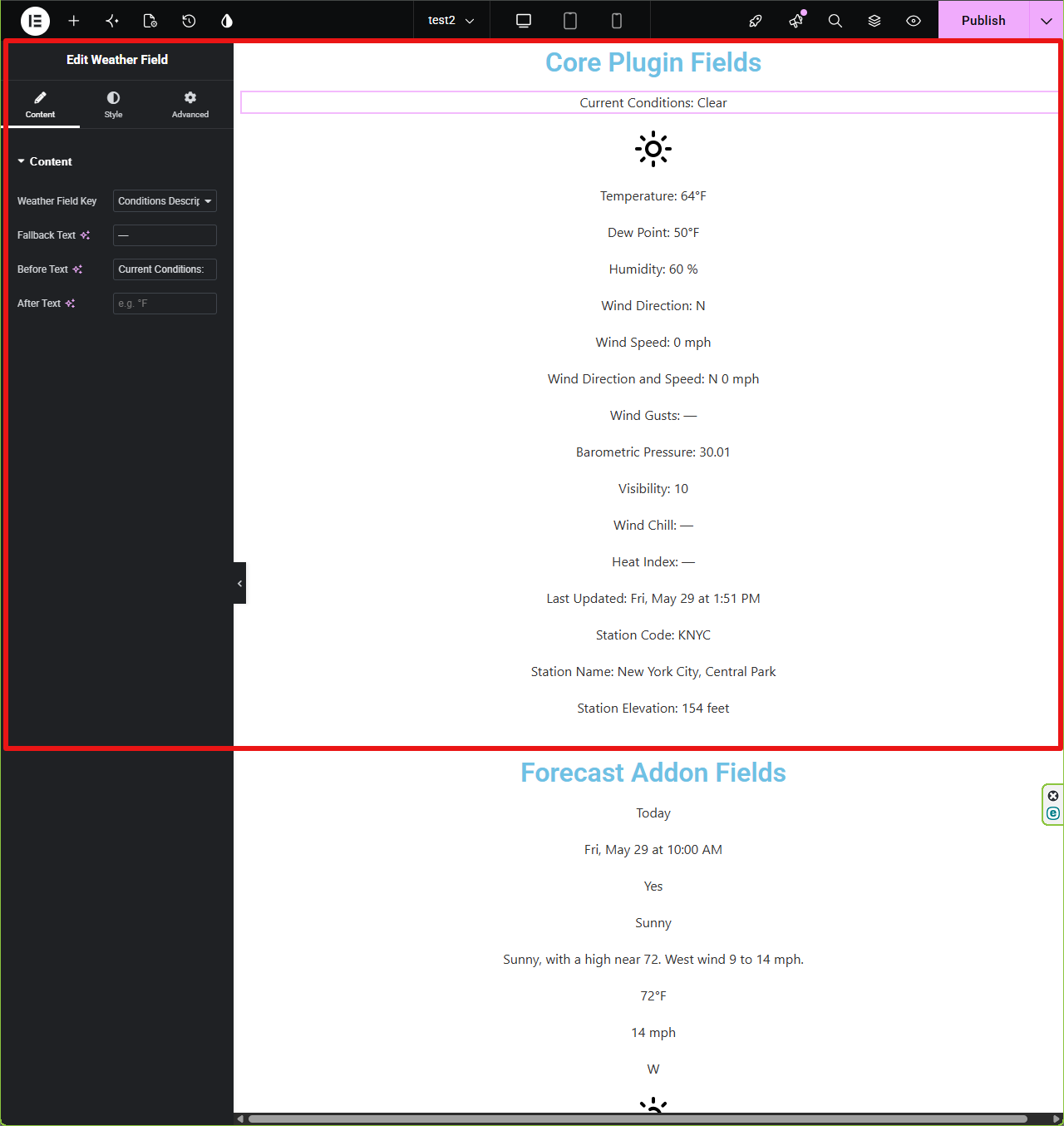
Current observations from the NOAA station nearest your location: temperature, dew point, humidity, wind speed, direction and gusts, pressure, visibility, wind chill, heat index, a text description of conditions, observation time, station details, and a current conditions icon.
- Drag and drop Elementor widget with Elementor’s own typography, color, and spacing controls
- No Elementor Pro required
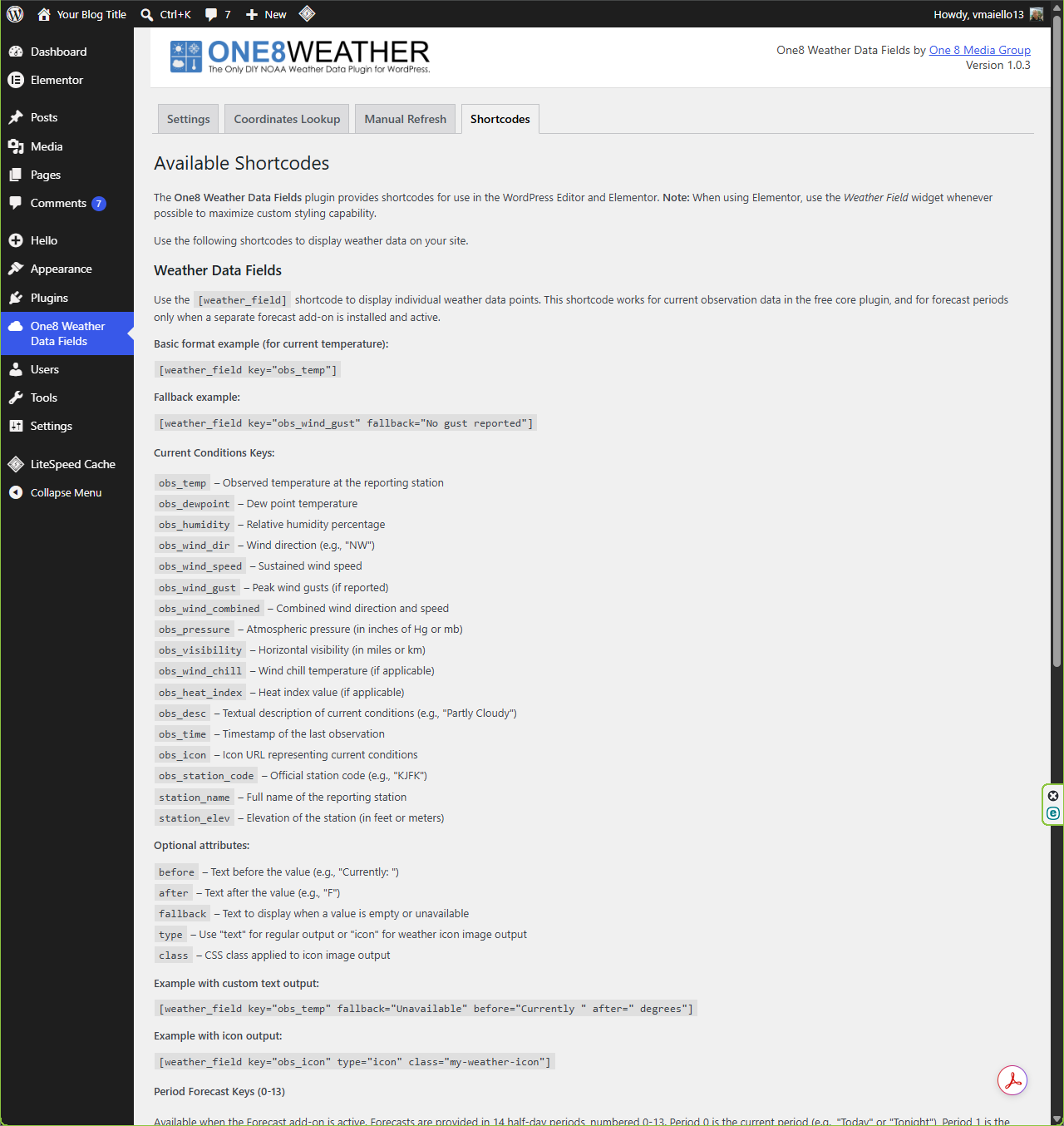
[weather_field]shortcode that works anywhere WordPress runs shortcodes, including Gutenberg’s Shortcode block- Before, after, fallback, class, and icon options for every field
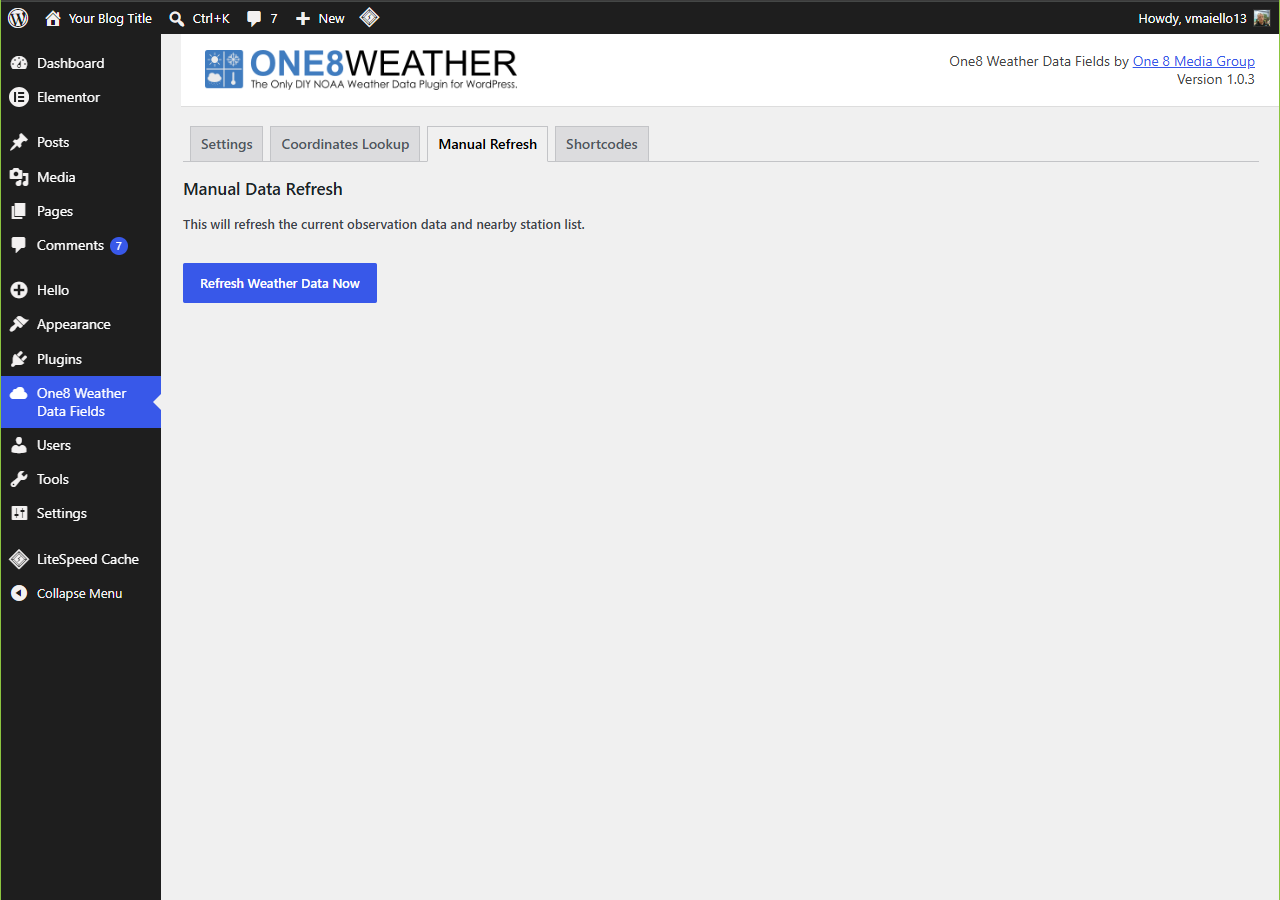
- Data fetched server side and cached with WP-Cron, with a manual refresh button
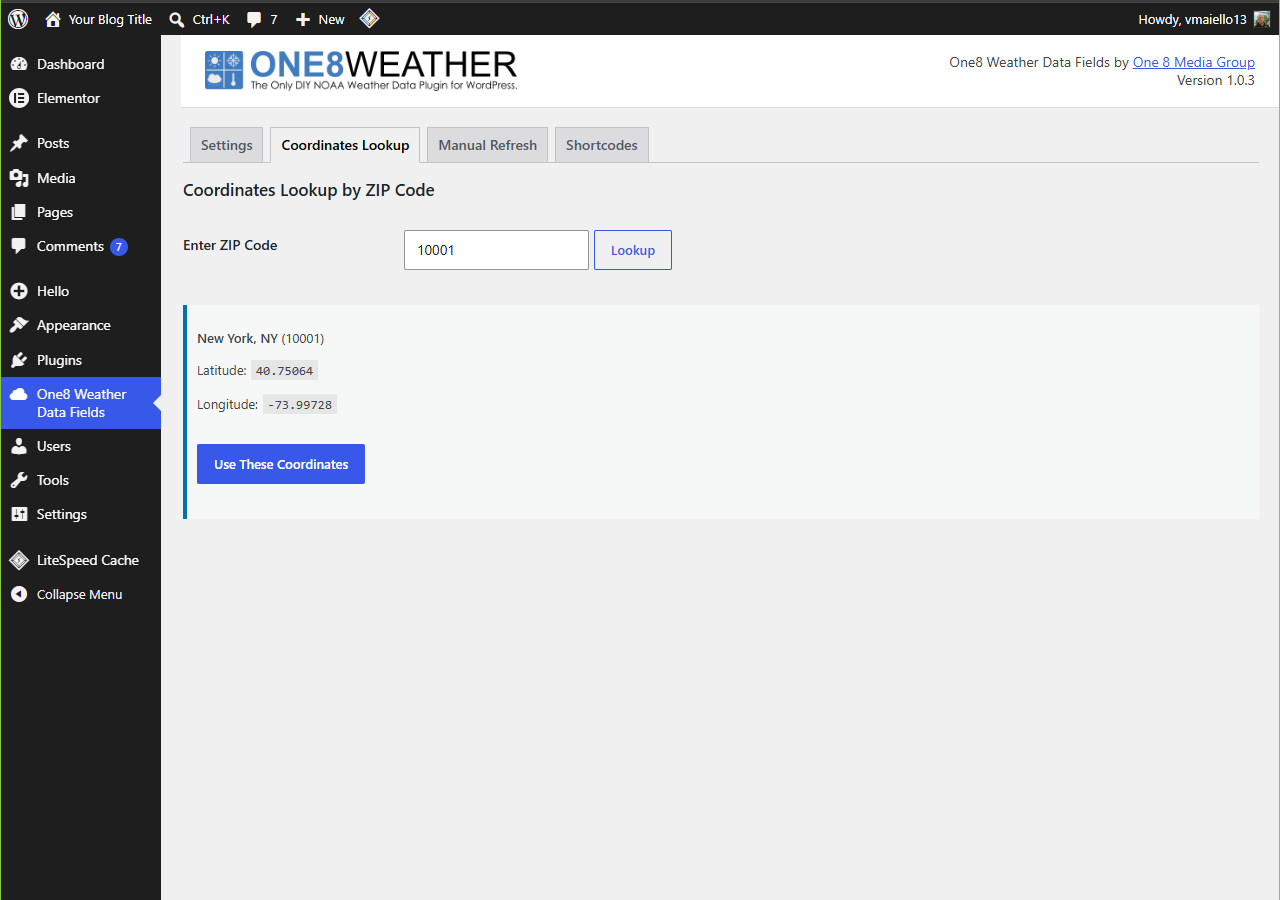
- ZIP code lookup to fill in your coordinates
- Use as many fields on a page as you need
Coverage
Data comes from the US National Weather Service, so this plugin is built for locations inside the United States. It does not provide weather for locations outside NWS coverage.
Add-ons
Need more than current conditions? Premium add-ons plug into the same fields and styling workflow:
- Forecast: 14 NOAA forecast periods with temperatures, descriptions, wind, and icons
- Alerts: active NWS watches, warnings, and advisories with severity based styling
- Radar: static or animated NOAA NEXRAD radar on a responsive map
See pricing, live examples, and documentation at one8weather.com.
Links
External services
This plugin connects to the National Weather Service API at api.weather.gov to retrieve public weather observations. It sends your configured latitude, longitude, and optional station identifier, along with a standard User-Agent identifying the plugin. No WordPress user account information or visitor data is sent.
- NOAA privacy policy: https://www.weather.gov/privacy
- NOAA API documentation: https://www.weather.gov/documentation/services-web-api
One8 Weather Data Fields is not affiliated with or endorsed by NOAA or the National Weather Service.
Acknowledgements
Built on the NOAA weather.gov API. Inspired by the “Minimal Weather” shortcode concept.
Screenshots
Installation
- Install the plugin from Plugins > Add New by searching for “One8 Weather”, or upload the
one8-weather-data-fieldsfolder to/wp-content/plugins/ - Activate the plugin through the Plugins screen
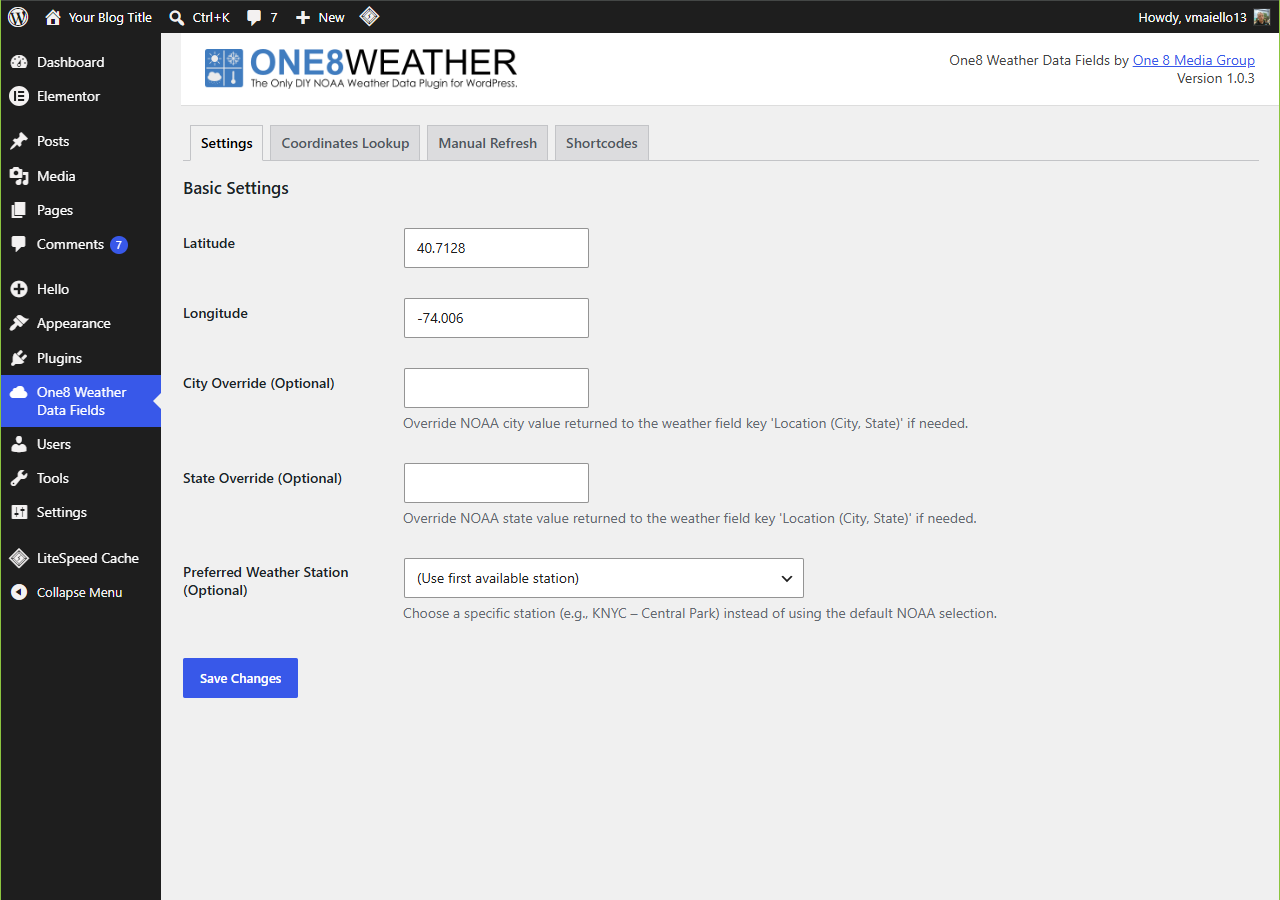
- Go to One8 Weather Data Fields and enter your latitude and longitude, or use the ZIP code lookup on the Coordinates Lookup tab
- Click Save Changes
- Add the Weather Field Elementor widget or the
[weather_field]shortcode to any page
Using the Elementor widget
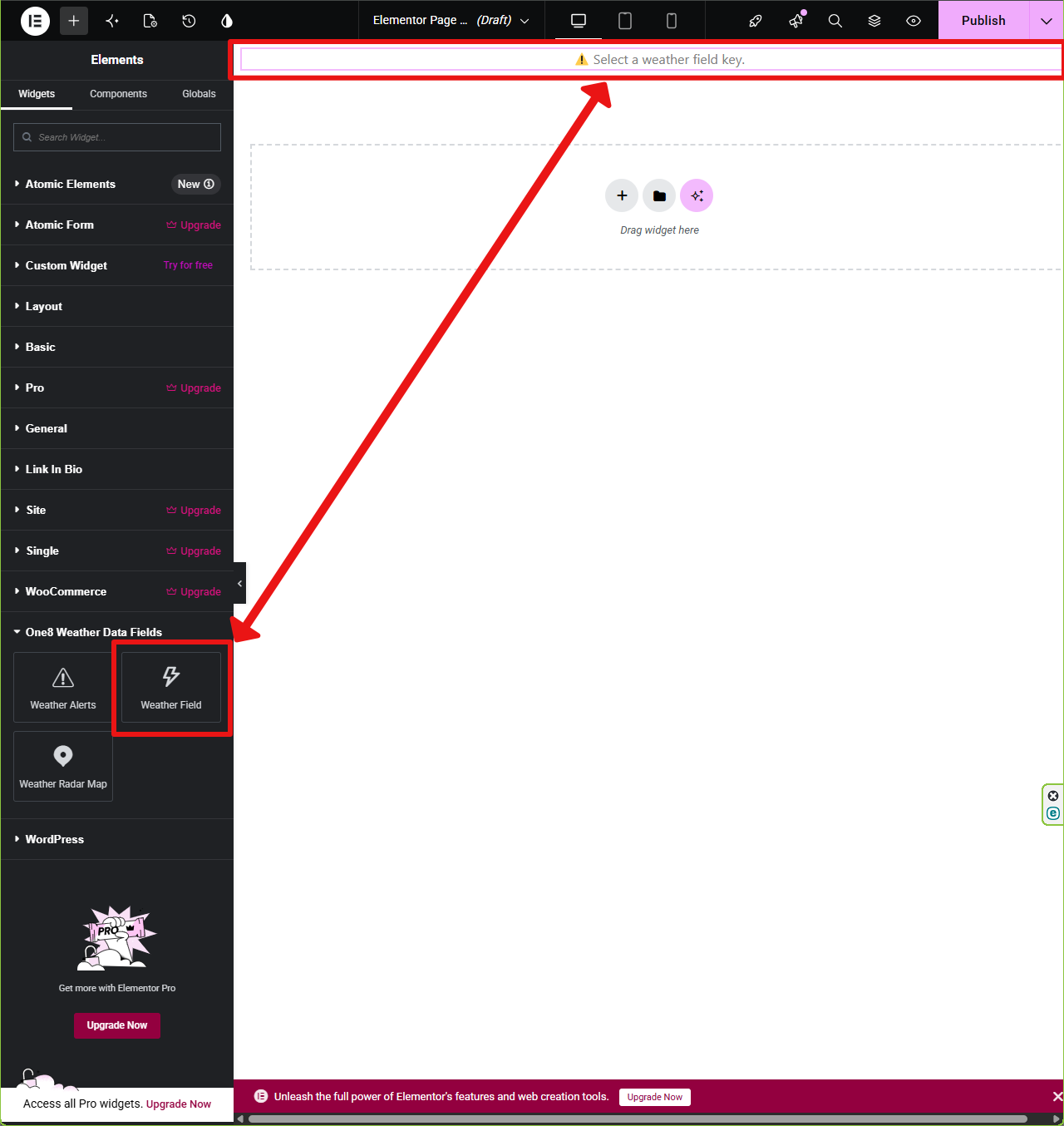
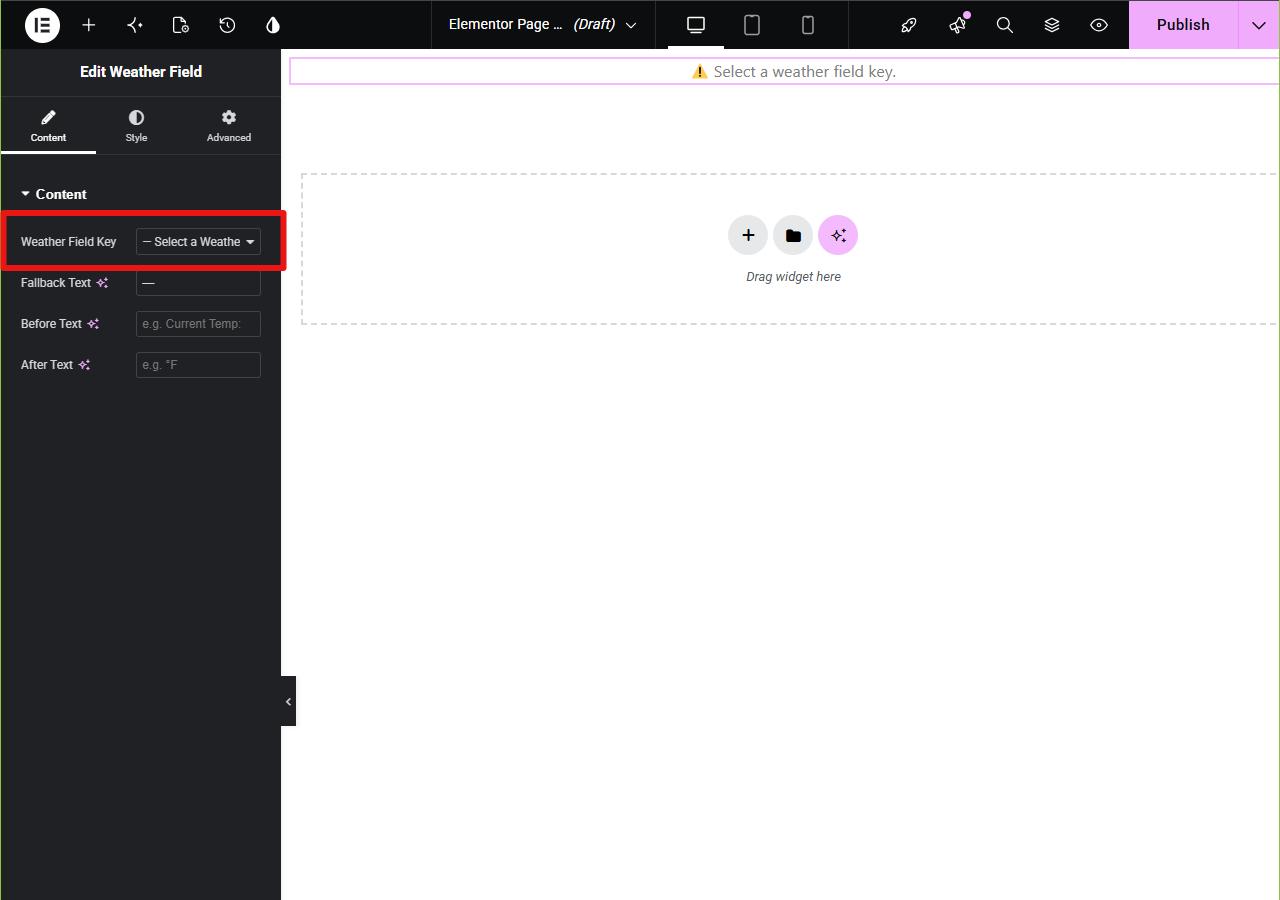
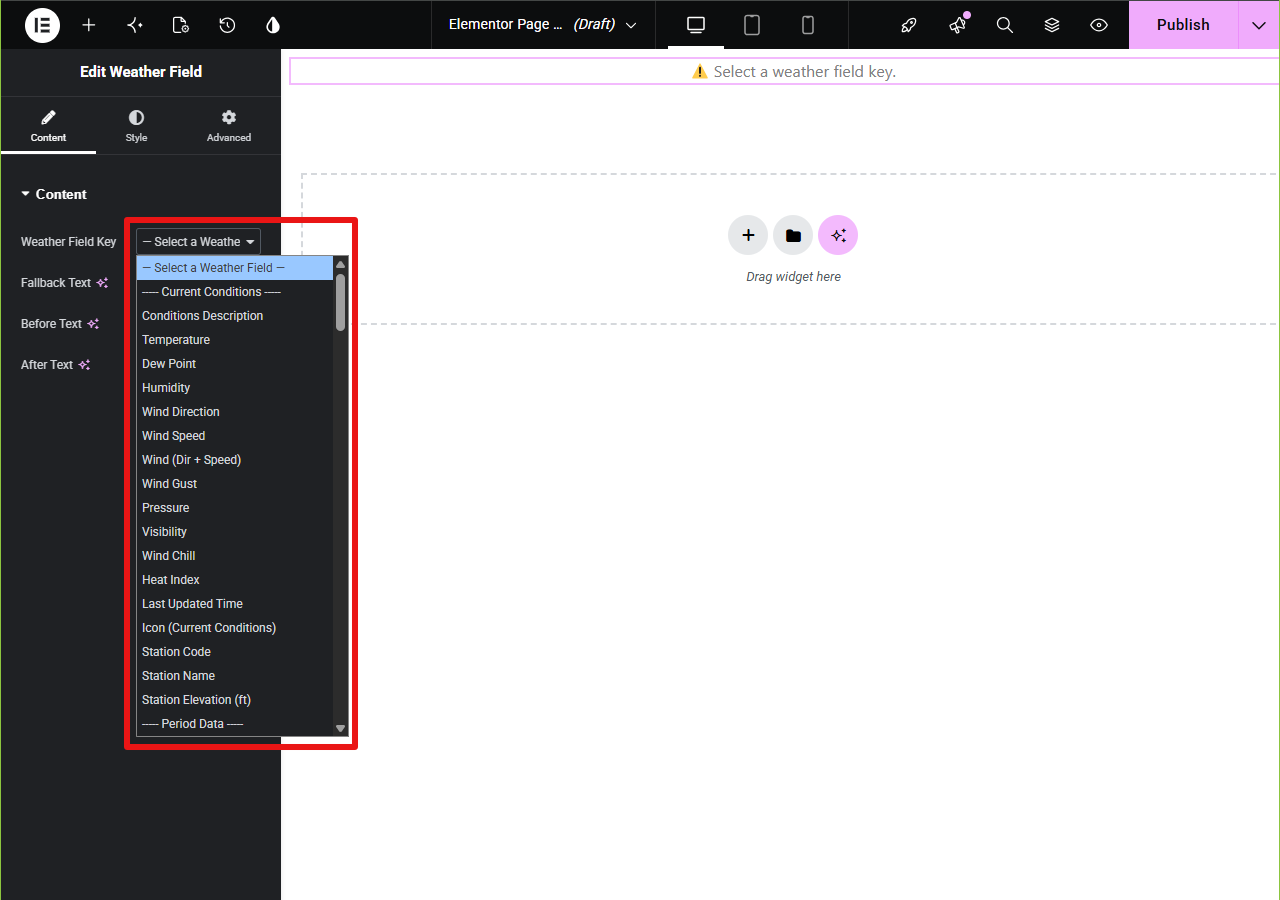
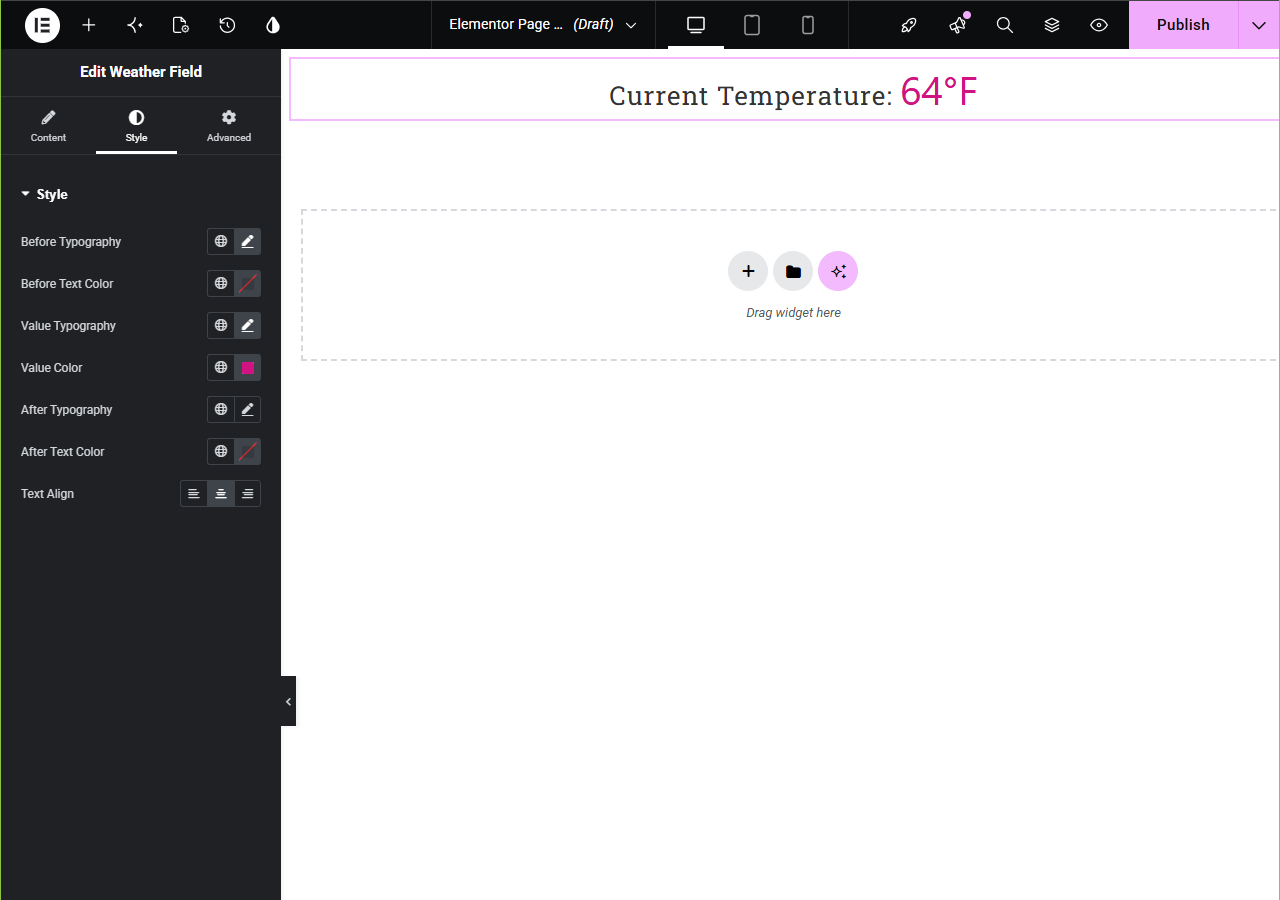
Open a page in Elementor, find the One8 Weather Data Fields category, and drag the Weather Field widget onto the page. Choose a field key, then style it with Elementor’s normal controls. Each widget also has Before and After text options, so you can build sentences like “It’s 72°F at the marina right now.”
Using shortcodes
Examples:
- Current temperature:
[weather_field key="obs_temp"] - Wind gust with a fallback:
[weather_field key="obs_wind_gust" fallback="No gust reported"] - Wind speed and direction together:
[weather_field key="obs_wind_combined"] - Station code:
[weather_field key="obs_station_code"] - Conditions icon as an image:
[weather_field key="obs_icon" type="icon" class="my-weather-icon"]
Optional attributes: before, after, fallback, type, and class.
Available fields
obs_temp: observed temperatureobs_dewpoint: dew pointobs_humidity: relative humidity (percent)obs_wind_dir: wind direction (for example, “NW”)obs_wind_speed: sustained wind speedobs_wind_gust: peak wind gusts, if reportedobs_wind_combined: wind direction and speed togetherobs_pressure: atmospheric pressureobs_visibility: horizontal visibilityobs_wind_chill: wind chill, if reportedobs_heat_index: heat index, if reportedobs_desc: text description, such as “Partly Cloudy”obs_time: time of the last observationobs_icon: URL of the current conditions iconobs_station_code: official station code, such as “KJFK”station_name: full name of the reporting stationstation_elev: station elevation
FAQ
-
Do I need an API key?
-
No. NOAA’s weather.gov API is public and needs no key, account, or payment details.
-
Does it work outside the United States?
-
No. The data comes from the US National Weather Service, which covers US locations only.
-
Do I need Elementor?
-
No. Elementor gives you drag and drop widgets and styling controls, but the
[weather_field]shortcode works in the block editor (through the Shortcode block), classic editor, widgets, and anywhere else WordPress processes shortcodes. -
Will it slow down my site?
-
Weather data is fetched on the server and cached using WP-Cron, so your visitors load cached data instead of waiting on a live request to NOAA.
-
How often does the data update?
-
Most NWS stations report about once an hour. The plugin refreshes its cache on a schedule, and you can force a fresh pull any time from the Manual Refresh tab.
-
Can I change how the output looks?
-
Yes, that’s the whole idea. With Elementor, use its typography, color, spacing, and border controls. With shortcodes, wrap the output in your own HTML and CSS, or combine several fields to build a sentence.
-
Does the free plugin include forecasts, alerts, or radar?
-
No. The free plugin covers current observations. Forecast, Alerts, and Radar are available as add-ons at one8weather.com.
-
How do I clear the cache?
-
Go to One8 Weather Data Fields > Manual Refresh and click Refresh Weather Data Now. Saving the Settings tab also triggers a refresh.
Reviews
There are no reviews for this plugin.
Contributors & Developers
“One8 Weather Data Fields: NOAA Weather Widget for Elementor” is open source software. The following people have contributed to this plugin.
Contributors
Translate “One8 Weather Data Fields: NOAA Weather Widget for Elementor” into your language.
Interested in development?
Browse the code, check out the SVN repository, or subscribe to the development log by RSS.
Changelog
1.1.1
- Point the plugin and author links to one8weather.com.
- Minor metadata corrections.
1.1.0
- Align the parent and add-on integration contract.
- Restore the settings page stylesheet and use the bundled Leaflet library.
- Remove the public diagnostic data dump shortcode.
- Improve scheduling and production hardening.